

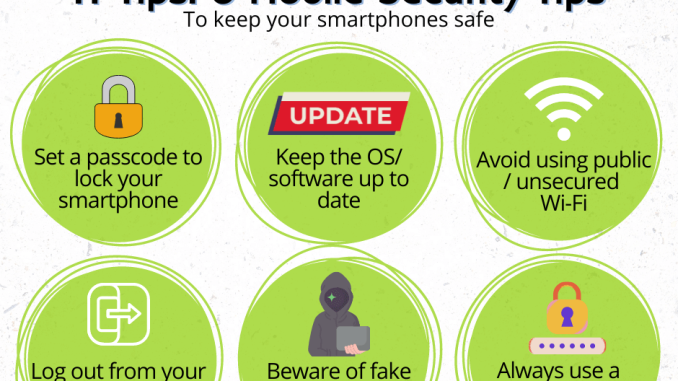
In today’s technologically advanced world, our smartphones have become an integral part of our daily lives. From banking and shopping to social media and messaging, we use our phones for everything. However, with the increasing amount of sensitive information stored on our devices, it is more important than ever to prioritize mobile security. Here are some tips to help you keep your phone safe from potential threats:
1. Update Your Operating System Regularly
One of the simplest and most effective ways to protect your phone is to make sure you are always running the latest version of your operating system. Updates often contain security patches that help to protect your device from vulnerabilities and potential threats. Set your phone to automatically update so you never miss an important security update.
2. Use Strong, Unique Passwords
It may be tempting to use the same password for multiple accounts, but this can leave you vulnerable to security breaches. Create strong, unique passwords for each of your accounts to help protect your personal information. Consider using a password manager to securely store and generate passwords for all of your accounts.
3. Enable Two-Factor Authentication
Two-factor authentication adds an extra layer of security to your accounts by requiring a second form of verification in addition to your password. This could be a fingerprint scan, facial recognition, or a code sent to your phone. Enable two-factor authentication on all of your accounts to better protect your information.
4. Be Wary of Public Wi-Fi Networks
Public Wi-Fi networks can be a hotbed for cybercriminals looking to intercept your data. Avoid connecting to public Wi-Fi networks when possible, especially when accessing sensitive information like banking or personal accounts. If you must connect to public Wi-Fi, consider using a virtual private network (VPN) to encrypt your data and protect your privacy.
5. Install Antivirus Software
Just like you would protect your computer with antivirus software, you should also protect your phone. Install a reputable antivirus app on your device to scan for and remove any malware or viruses that could compromise your security. Regularly run scans to ensure your phone is free from any threats.
6. Be Mindful of App Permissions
When downloading apps, pay attention to the permissions they request. Some apps may ask for access to sensitive information like your location, contacts, or camera. Only grant permissions to apps that truly need them to function properly. Review and adjust app permissions in your phone’s settings to protect your privacy.
7. Backup Your Data Regularly
In the unfortunate event that your phone is lost, stolen, or compromised, having a recent backup of your data can help you restore your information quickly. Regularly backup your data to a cloud service or external storage device to ensure you never lose important photos, contacts, or documents.
Conclusion
In conclusion, mobile security is essential in today’s digital age. By following these tips and staying vigilant, you can better protect your phone from potential threats and keep your personal information safe. Remember to update your operating system, use strong passwords, enable two-factor authentication, be cautious on public Wi-Fi networks, install antivirus software, monitor app permissions, and backup your data regularly. With these practices in place, you can enjoy the convenience of your smartphone without compromising your security. Stay safe and secure in the digital world!