

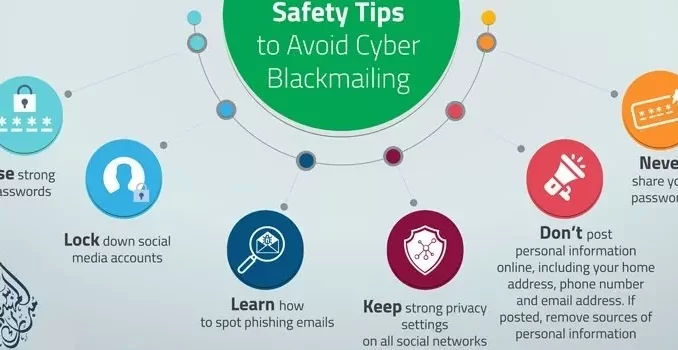
As our lives become increasingly digital, it is more important than ever to prioritize online privacy and security. With the constant threat of cyber attacks and data breaches, taking proactive steps to protect your personal information is essential. In this article, we will discuss some of the best practices for staying safe online.
Use Strong, Unique Passwords
One of the most basic yet crucial steps you can take to secure your online accounts is to use strong, unique passwords for each one. Avoid using easily guessable passwords such as “123456” or “password.” Instead, opt for a mix of uppercase and lowercase letters, numbers, and special characters.
Additionally, make sure to use a different password for each account to prevent a breach on one platform from compromising all of your accounts.
Enable Two-Factor Authentication
Two-factor authentication adds an extra layer of security to your accounts by requiring a second form of verification, such as a text message code or fingerprint scan. This can help prevent unauthorized access even if your password is compromised.
Many online platforms offer two-factor authentication as an option, so be sure to enable it wherever possible to protect your sensitive information.
Keep Software Updated
Outdated software can leave your devices vulnerable to security threats. Hackers often exploit known vulnerabilities in software to gain access to your data. To mitigate this risk, make sure to regularly update your operating system, web browsers, and apps to the latest versions.
Many software updates include security patches that address known vulnerabilities, so staying up to date is crucial for maintaining your online security.
Beware of Phishing Scams
Phishing scams are a common tactic used by cybercriminals to trick individuals into revealing their personal information. These scams often involve deceptive emails or messages that appear to be from legitimate sources, such as banks or government agencies.
To avoid falling victim to phishing scams, be cautious of unsolicited emails asking for sensitive information and avoid clicking on suspicious links. When in doubt, verify the legitimacy of the sender before sharing any personal data.
Use a Virtual Private Network (VPN)
A virtual private network (VPN) encrypts your internet connection and masks your IP address, making it more difficult for hackers to intercept your online activity. VPNs are particularly useful when using public Wi-Fi networks, which are often unsecured and vulnerable to cyber attacks.
By using a VPN, you can protect your online privacy and secure your data from potential threats while browsing the web.
By following these best practices for online privacy and security, you can safeguard your personal information and minimize the risk of falling victim to cyber threats. Remember to stay vigilant and proactive in protecting your online presence to enjoy a safe and secure browsing experience.